AI-native project management
Project management that tells you the truth
Every change recorded. Analytics you can audit. AI that narrates the facts instead of inventing them.
Sign in with a magic link — no password to invent.
How it works
Every change is an event. Everything else is derived.
Tasks, comments, status moves — each one lands in an append-only log. The activity feed reads it, analytics aggregate it, and the AI narrates it.
A task engine that stays out of the way
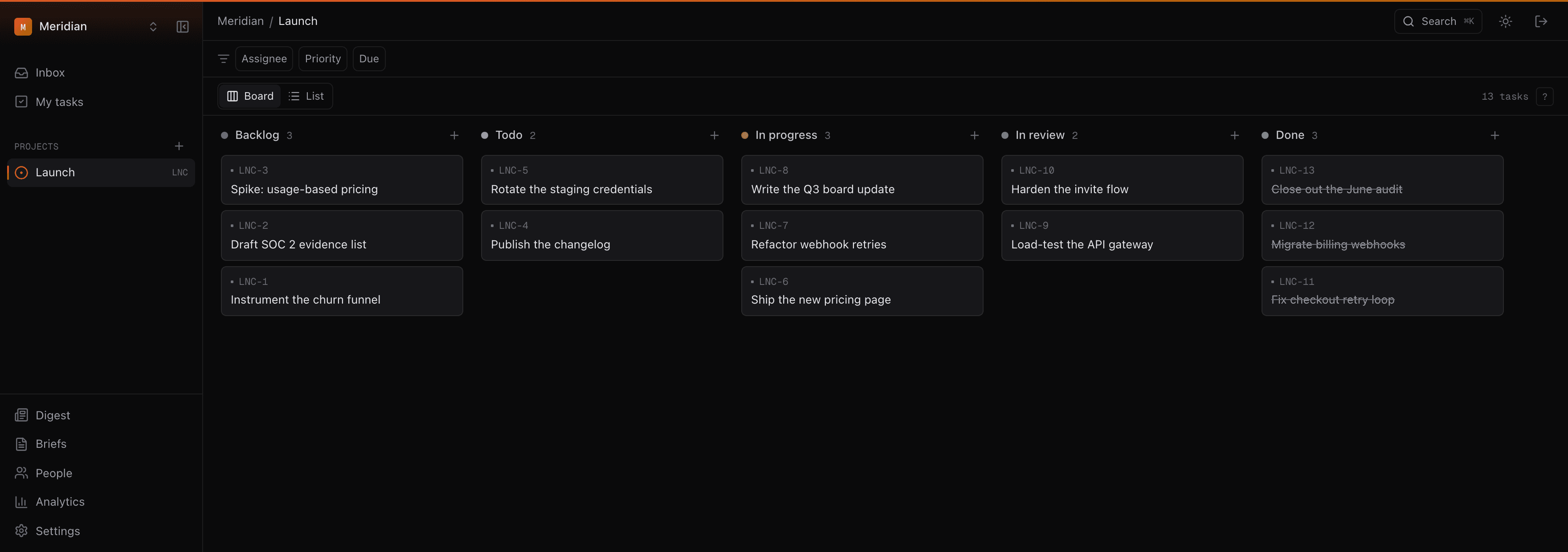
Board and list views, single-key shortcuts, a command palette on ⌘K, and optimistic updates everywhere. Paste meeting notes and the AI drafts the tasks — nothing is created until you accept.
A digest you can trust
Every morning, each workspace gets its day narrated: what shipped, what's stuck, what's due. Risks are detected by rules, never imagined by a model — the AI writes one note per detected risk and cites task keys you can click to check.
Glass-box analytics
Cadence measures the work graph — cycle time, flow, aging WIP — and never the person. No screenshots, no keystroke tracking, no idle timers. Every member sees their own analytics page; nothing is collected that they can't see.
Honest AI
AI with receipts
The truth-telling is enforced by architecture, not by asking a model nicely.
Every call leaves a record
Each model call writes an audit row — input, output, tokens, latency — even when it fails. When a generation looks wrong, you can inspect exactly what the model was told.
The model never picks an identifier
Model output is resolved against your workspace's real projects and people. Anything it invents fails to match and degrades to nothing — it cannot touch data it wasn't given.
Budgeted per workspace
Every workspace has a daily token budget, enforced across every feature. AI is an enhancement over a product that works without it — no key, no budget, no problem: the product keeps running.
White-label
Your customers see your brand, not ours
Upload a logo during onboarding and your workspace takes its colors — a gradient derived from your mark, applied across the portal, the emails, even the invite every person you add receives. Readability is guaranteed by construction: every derived color clears WCAG contrast on every surface, in both themes.
Each workspace is fully segregated — its own data, its own storage, its own AI context and budget. The demo on the right is live: it runs the same color engine your workspace would.
This is the real derivation every workspace runs — try a hard color.
Run your team on Cadence
Create a workspace, brand it, and invite your team — the whole first run takes about two minutes.
Create your workspace